Freelancers often juggle multiple projects, clients, and deadlines, making efficient time tracking crucial for productivity and accurate billing.
That is the main reason why tracking tools are so important. These tools are essential for managing work hours, tracking tasks, and ensuring precise invoicing.
A good thing is that there is a wide selection of options available. I will recommend you the best choices.
1. Traqq
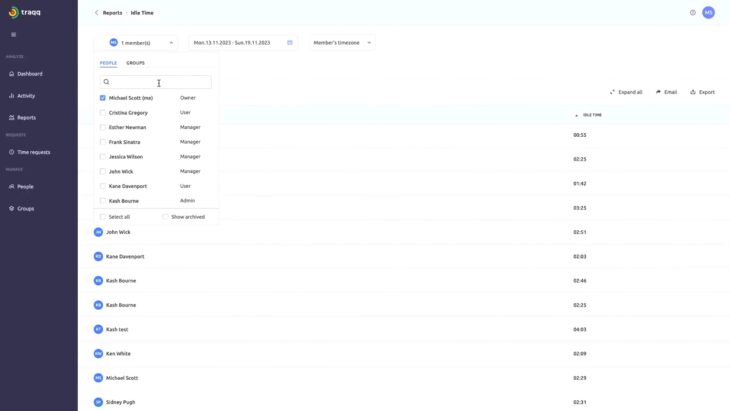
If you run a small or medium-sized business, or even a big company, you might want to check out Traqq . It’s a powerful software that helps you track how your team spends their time and how well they work. You can use Traqq to see screenshots, screen recordings, activity levels, and web and app usage of your employees.
Key Features
- Time Tracking : Traqq allows detailed tracking of work hours, monitoring activities, and application usage.
- Screenshots and Screen Recordings : The software provides screenshot and screen recording functionalities with privacy features allowing users to delete or mute screenshots.
- Scheduled Reports : Automated report generation helps managers stay updated with team performance.
- Privacy and Ethical Focus : Traqq emphasizes user privacy by allowing blurred screenshots and secure handling of private information.
- Role Management System : Users can manage roles and access levels, adding flexibility for different team members.
Traqq is available as a cloud-based service, SaaS, or on-premise solution and supports Windows and Mac OS. However, it lacks a mobile application and primarily supports the English language.
| Feature | Details |
|---|---|
| Price | $4.90 per user/month |
| Deployment | Cloud, SaaS, On-premise |
| Operating Systems | Windows, Mac |
| Mobile Application | No |
| Supported Language | English |
| Target Audience | Small Businesses, Mid-Size Companies, Enterprises |
2. Harvest
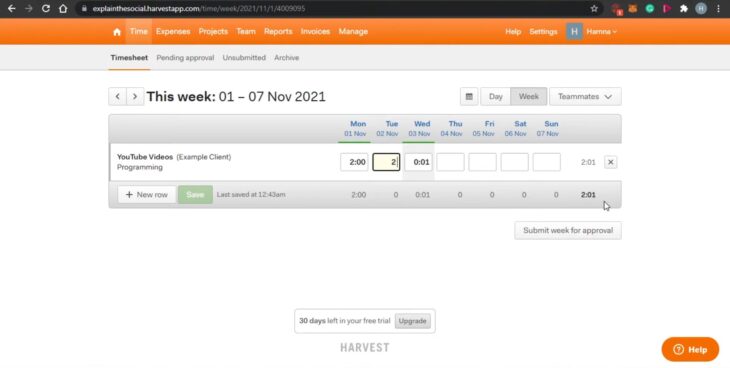
Harvest is a great app for tracking time for different kinds of businesses. It has a user-friendly design and many useful features, like keeping track of projects, sending invoices, and working with other apps.
Key Features
- Project Tracking : Harvest allows users to track time by project, offering detailed insights into how time is allocated across various departments and activities. This helps in understanding the efficiency and resource allocation for each project.
- Color Coding for Projects : Users can color-code projects for easy identification and understanding of time and resource distribution.
- Invoicing and Payment Integration : Harvest includes an automatic invoicing feature, which turns billable hours into invoices. It supports integration with payment platforms like Stripe and PayPal, as well as accounting software like QuickBooks and Xero.
- Team Tracking and Editing : The app provides functionalities to track team activities, with the option to edit activities and time entries as needed.
- Alerts and Reminders : Automatic alerts can be set up for approaching budget limits, ensuring projects stay within financial constraints.
The app is ideal for a wide range of businesses, especially those in client services requiring time and expense tracking.
| Feature | Details |
|---|---|
| Price | Free for 1 user (2 projects), $12/user/month (unlimited projects) |
| Project Tracking | Color-coded, detailed by department |
| Invoicing | Automatic, integrates with Stripe, PayPal, QuickBooks, Xero |
| Alerts and Reminders | Automatic, budget-related |
| Target Audience | Businesses of all sizes |
| Interface | User-friendly |
3. Toggl Track
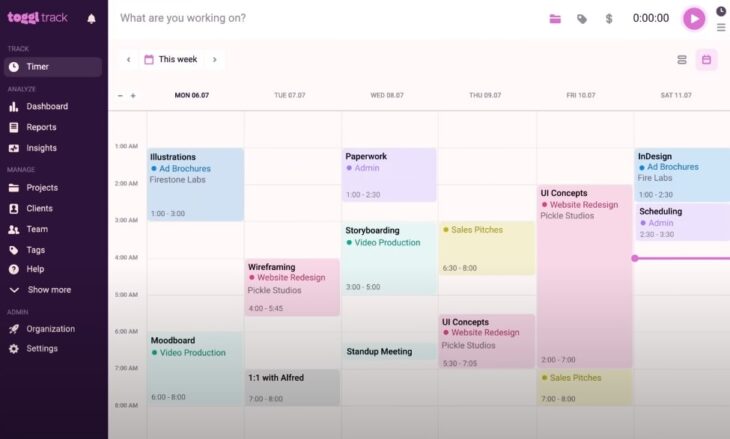
Toggl Track is an easy-to-use app that lets you track your time in different ways. Whether you work alone or with a small team, you can use Toggl Track to see how you spend your time on different tasks and devices.
Key Features
- Simple Time Tracking : Toggl’s strength lies in its basic time-tracking capability, which is straightforward and easy to use.
- Task and Project Segmentation : Users can segment time by tasks and projects, offering clarity on time distribution.
- Robust Reporting and Analytics : It provides detailed reports and analytics, useful for understanding time allocation across tasks and projects.
- Integrations : Toggl offers integrations with over 100 apps and supports browser extensions, enhancing its utility.
- Cross-Team Reporting : Suitable for teams, allowing for cross-team use and reporting.
Toggl Track is mostly used by small businesses (1-50 employees), but its simplicity and flexibility make it suitable for a wide range of users , including freelancers and larger teams.
| Feature | Details |
|---|---|
| Price | Starts at $10 |
| Deployment | Cloud, SaaS, Web-Based |
| Mobile Application | Not specified |
| Integrations | Over 100 app integrations |
| Target Audience | Small Businesses, Freelancers |
| Key Features | Time tracking, Project segmentation, Robust reports |
4. TMetric
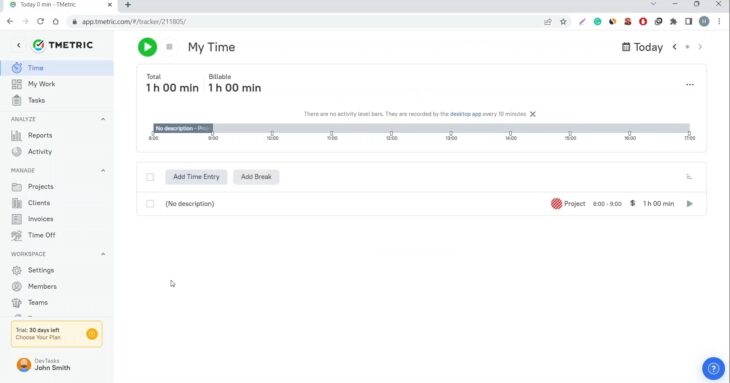
TMetric is a handy app that helps you keep track of your time and your projects. Whether you work with a small team or by yourself, you can use TMetric to see how you and your team are doing. TMetric has many features that make your work easier and more efficient.
Key Features
- Time Tracking and Reporting : TMetric provides an easy-to-use time tracking system, allowing users to start and stop timers and add time entry details. It can automatically detect periods of inactivity, prompt for breaks, and notify users of timer overruns. Time tracking is also available offline.
- Project Management : The software includes project management features like setting up billable rates, budgets, and tracking project expenses. It allows the generation of project invoices and integrates with QuickBooks Online for streamlined invoicing.
- Team Management : TMetric offers comprehensive team management features, including control over employee work hours, custom hourly rates, user roles, and permissions. It also includes a time-off calendar for managing employee leaves.
- Integrations : The app integrates with a variety of tools, including Jira Software, GitLab, Redmine, Slack, and more, to seamlessly fit into different workflows.
- Support and Platforms : TMetric is available on multiple platforms, including web, iOS, Android, and as a browser extension. It offers a range of support options, including help pages, tutorial videos, user guides, and a dedicated support team.
Users generally appreciate TMetric for its affordability, detailed reports, and intuitive user interface. However, some users have noted occasional service losses, limitations in invoice customization, and performance issues with mobile and desktop applications.
| Feature | Details |
|---|---|
| Price | Free plan; Professional $5/user/month, Business $7/user/month |
| Key Features | Time Tracking, Project Management, Team Management, Integrations |
| Platforms | Web, iOS, Android, Browser Extension |
| Integrations | Jira, GitLab, Redmine, Slack, QuickBooks Online, etc. |
| Support | Help pages, Tutorial videos, User guides, Email support |
5. Hubstaff
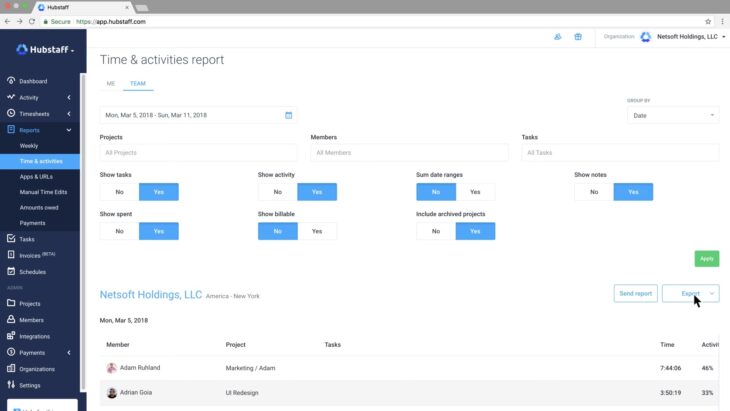
Hubstaff is a software that helps you track your time and your team’s work. It works well for different kinds of businesses, especially if you have remote workers. Hubstaff has many features that let you track time, monitor employees, and manage projects.
Key Features
- Automatic Time Tracking : Hubstaff’s automatic tracking starts and stops as you work, ensuring accurate time records.
- Detailed Reporting and Analytics : Provides in-depth insights into time spent on projects and tasks, aiding in informed decision-making.
- Advanced Employee Monitoring : Features like optional screenshots and app usage tracking offer a detailed view of how work time is spent.
- Geofencing : A unique feature for mobile or field teams, allowing time tracking to start or stop based on location.
- Activity Levels Monitoring : Measures productivity based on keyboard and mouse usage.
- Billable & Non-Billable Hours Tracking : Crucial for accurate client billing and internal time management.
- User Access Controls : Robust control over user permissions and access.
- Project Time Tracking : Allocates time to specific projects for better management.
- Payroll Management : Integrated payroll management based on tracked hours.
- Idle Time Monitoring : Detects inactivity and offers an option to stop tracking time automatically.
Hubstaff integrates with popular business tools like Trello, Asana, JIRA, QuickBooks, and Slack, enhancing its functionality and user experience .
If you are working as a freelance writer, using plagiarism checker is also very important.
| Feature | Details |
|---|---|
| Price | Free, Basic : $7/user/month, Premium : $10/user/month, Enterprise : Custom Pricing |
| Key Features | Time Tracking, Advanced Employee Monitoring, Geofencing, Activity Levels Monitoring, User Access Controls, Project Time Tracking, Payroll Management, Idle Time Monitoring |
| Platform | Windows, Linux, Mac, Google Chrome, iOS, Android |
| Integration | Integrates with Trello, Asana, JIRA, QuickBooks, Slack, etc. |
| Support | Documentation, Webinars, Live Chat, Tutorials |
6. TimeCamp
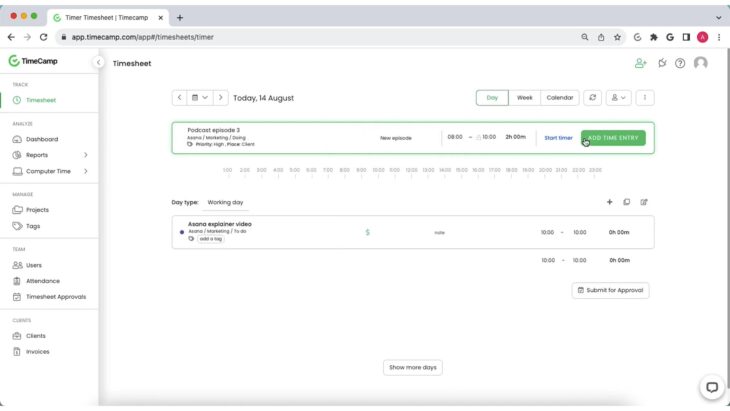
TimeCamp is an easy and powerful tool for tracking your time on different tasks. It may not have some fancy features for managing projects, but it does a great job in tracking time. You can use TimeCamp on your computer or your phone with a simple design.
Key Features
- Time Tracking : TimeCamp offers an intuitive stop-and-start digital timer for accurate tracking of time spent on tasks.
- Task Management : While TimeCamp does offer task management features, it is not as comprehensive as dedicated project management tools.
- GPS Location Tracking : Useful for monitoring the location of team members, particularly in fieldwork.
- Budget Management Tools : Allows for effective financial monitoring and project profitability analysis.
- Reporting : Basic reporting features are available in the free version, with more detailed and customizable reports in paid plans.
Users appreciate TimeCamp for its accurate and automatic time tracking, ease of switching between tasks, and minimal setup requirements after initial configuration. The tool is especially beneficial for freelancers and small businesses. However, some users have noted the absence of a customer portal for clients to view invoices and time entries, and a desire for more advanced task management features.
| Feature | Details |
|---|---|
| Price | Starts at $2.99/month |
| Key Features | Time Tracking, GPS Location Tracking, Budget Management Tools, Clean Interface Design, Desktop & Mobile Apps |
| Platform | Windows, Linux, Mac, Ubuntu, iOS, Android, Windows Phone, Mobile Web |
| Integration | Integrates with Trello, Asana, ClickUp, QuickBooks Online, Slack, etc. |
| Supported Languages | English, French, Spanish, German, Polish, Portuguese |
7. FreshBooks
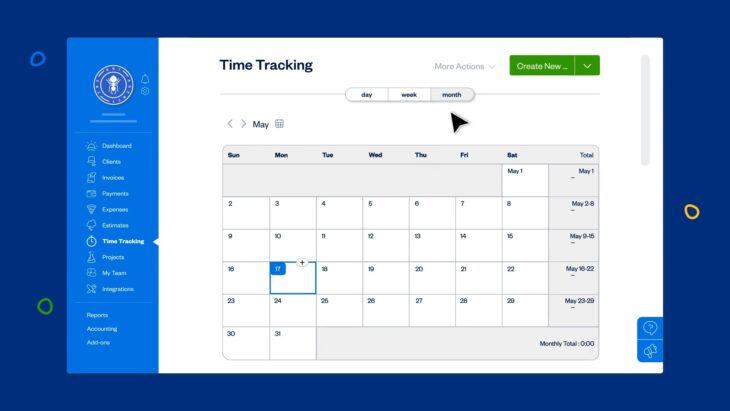
FreshBooks is a cloud accounting tool that many small and medium businesses use. It helps you track your time and manage your money well. It has many features that suit different kinds of users.
Key Features
- Automatic Time Tracking : FreshBooks includes a built-in time tracking tool, which can be easily added as line-items to any invoice.
- Expense Tracking and Categorization : Expenses can be tracked by syncing with your bank account, and the software automatically categorizes expenses for easy management.
- Invoicing : FreshBooks allows the creation, customization, and sending of invoices, including setting up recurring invoices and accepting online payments.
- Estimates and Proposals : Users can create estimates and proposals, send them to clients via FreshBooks’ client portal, and convert approved estimates into invoices with one click.
- Accounting Features : FreshBooks shines in its accounting capabilities with features like balance sheets, general ledgers, and trial balances.
- Communication Tools : Incorporates project management and team collaboration tools, allowing attachments and facilitating efficient communication.
- Integrations : FreshBooks boasts a built-in App Store with numerous applications like Indeed, Acuity Scheduling, Toggl, and more, enhancing its ecosystem.
It’s particularly appreciated for its ease of invoicing, expense management, and user-friendly interface. However, some users have noted the absence of a support call number and sometimes overwhelming options.
| Feature | Details |
|---|---|
| Price | Lite : $8.50/user/month, Plus : $15.00/user/month, Premium : $27.50/user/month, Custom Pricing for larger features |
| Time Tracking | Built-in tool included with each plan |
| Expense Tracking | Syncs with bank account, categorizes expenses, attachable to invoices |
| Invoicing | Customizable invoices, recurring invoice schedule, online payments |
| Accounting Features | Balance sheets, general ledgers, trial balances, customizable expense categories |
| Communication Tools | Project management and team collaboration tools, attachment sharing |
| Integrations | App Store with various apps like Indeed, Acuity Scheduling, Toggl |
| Support Options | Articles, tutorials, chatbot |
8. Clockify
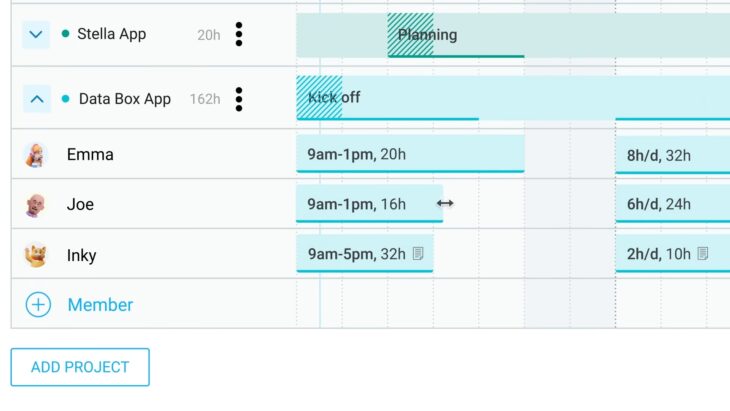
Clockify is a software that helps you track your time and your team’s work. It has a simple design and a free plan that has many features. You can use Clockify for different kinds of businesses, like planning projects, sending invoices, and managing budgets.
Key Features
- Time Tracking : Offers a basic yet effective time tracking feature, enabling users to track time across multiple projects and tasks.
- Project Planning and Management : Includes tools for project planning and offers invoicing and budget management features.
- User Interface and Experience : Known for its simplicity, Clockify allows easy tracking of employee hours and project progress.
- Integrations : Extensive integration capabilities, connecting with over 80 web apps including JIRA, Asana, Trello, Monday, and many productivity tools.
- Reporting : Provides detailed reports, including Summary, Detailed, and Weekly reports, to assess time spent and billable hours effectively.
- Mobile App : Available on iOS and Android, ensuring seamless time tracking even when mobile.
- Pricing : Offers a generous free plan and paid plans starting at $4.99/user per month.
It’s particularly suitable for freelancers , small teams, and businesses looking for an uncomplicated way to manage time and productivity.
With all these features, it is not a surprise that it became one of the most popular tools for remote workers .
| Feature | Details |
|---|---|
| Price | Free, Basic : $3.99/user/month, Standard : $5.49/user/month, Pro : $7.99/user/month, Enterprise : $11.99/user/month |
| Time Tracking | Basic time tracking across multiple projects and tasks |
| Project Management | Invoicing, budget management, and project planning tools |
| Integrations | Extensive integration with over 80 web apps |
| Reporting | Summary, Detailed, and Weekly reports for time and budget analysis |
| Mobile Application | Available on iOS and Android |
| Dashboard | Comprehensive view of work activities with calendar and activity logs |
9. Time Doctor
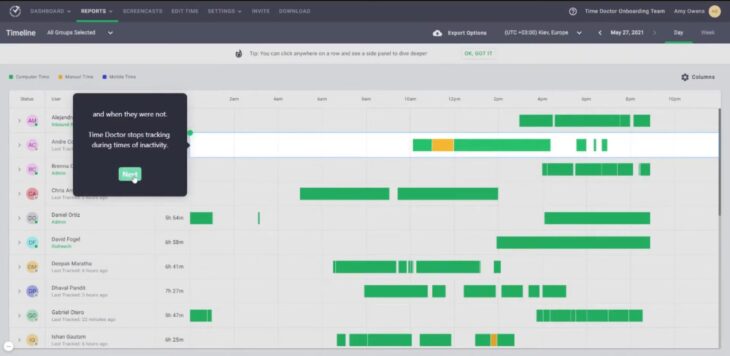
Time Doctor is a software that helps you track your time and your team’s work. It has many features that make your employees more productive and your projects more successful. You can use Time Doctor to see how much time you and your team spend on each task, get tips on how to manage your time better, and view detailed reports on your work performance.
Key Features
- Time Tracking : Time Doctor offers automatic clock-ins and reminders, allowing employees to categorize work activities by task or project.
- Individual Time Management : The software helps users understand their work habits and offers tips for improving productivity, displaying time spent in calls, meetings, and on various tasks.
- Productivity Dashboard and Reports : Provides detailed insights into individual and team productivity, with customizable reports for analyzing time spent on projects, clients, and tasks.
- Integrations : Time Doctor integrates with various third-party tools via Chrome extensions, streamlining the time tracking process within commonly used applications.
- Employee Monitoring : Offers features for tracking employee activity throughout the day, with customizable options like screenshots and video screen captures.
The software is particularly noted for its leave-tracking features and its ability to manage workflow and pace. However, some users have experienced issues with the software not stopping time tracking correctly and the activity bar on the desktop being obtrusive.
| Feature | Details |
|---|---|
| Price | 14-day free trial; Basic, Standard, and Premium plans (pricing varies) |
| Time Tracking | Automatic clock-ins, reminders, and categorization by task/project |
| Individual Time Management | Insights into work habits with productivity tips |
| Productivity Dashboard and Reports | Detailed reports on employee and team productivity |
| Integrations | Chrome extensions for various third-party tools |
| Employee Monitoring | Track idle time, activity, with options for screenshots and video captures |
10. Everhour
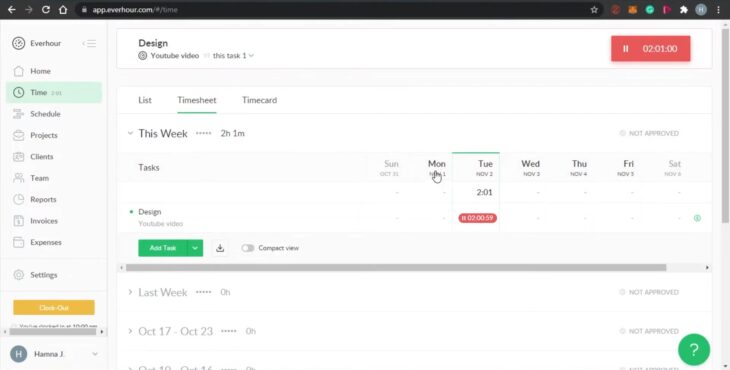
Everhour is an app that helps you track your time and your projects. It works well with other tools like Asana, Trello, and Basecamp. You can use Everhour to make budgets, invoices, and payroll easily. It’s good for small businesses and many people use it to manage their work.
Key Features
- Time Tracking and Reporting : Everhour offers efficient time tracking and generates detailed reports, helping users keep track of project timelines, employee times, and timesheets.
- Integration with Project Management Tools : The app integrates with a range of project management tools, ensuring seamless workflow and eliminating the need for manual project setup.
- User Interface : The interface is user-friendly, aiding in easy tracking and management of tasks.
- Pricing Plans : Everhour offers a free plan with limited features for up to 5 users. Its Basic Plan is priced at $8/user/month and includes additional features like billing and budgeting. The Pro Plan, at $15/user/month, offers advanced reporting and timesheet approvals.
It’s been highlighted as an excellent tool for tracking time and managing project costs. However, some users have noted limitations in sync functionality with systems like JIRA and a lack of a mobile app, which could enhance its usability.
| Feature | Details |
|---|---|
| Price | Free Plan : Limited features for up to 5 users, Basic Plan : $8/user/month, Pro Plan : $15/user/month |
| Time Tracking and Reporting | Efficient time tracking with detailed reports and analysis |
| Integrations | Seamless integration with Asana, Trello, Basecamp, and more |
| User Interface | User-friendly and intuitive |
| Mobile Application | Available on Apple iOS |
| Supported Languages | English |
11. HourStack
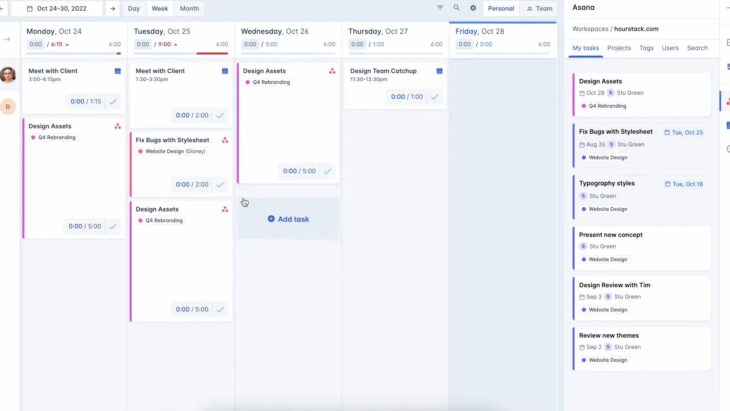
HourStack is a tool that helps you plan and track your time and your team’s work. It works well with other tools like Asana, Todoist, and more. You can use HourStack to see what everyone is working on, how much time they spend, and how to improve your workflow.
Key Features
- Visual Calendar : Allows for easy scheduling of tasks with a comprehensive view of the team’s work.
- Integrations : Seamlessly integrates with several tools for streamlined workflow management.
- Task and Time Tracking : Offers functionalities for accurate time tracking and efficient task management.
- Customizable Workspace : Users can customize their workspace and permissions according to their workflow needs.
The application’s visual interpretation of tasks and live timer is highly regarded. However, some users have noted a lag with app integrations and mentioned that a standalone application for Windows would be beneficial.
| Feature | Details |
|---|---|
| Price | $12.00 per month |
| Visual Calendar | Comprehensive view for scheduling and tracking tasks |
| Integrations | Integrates with Asana, Todoist, Google Calendar, Trello, and more |
| Task and Time Tracking | Accurate task management and time tracking |
| Customizable Workspace | Workspace and permissions customizable to workflow |
| Free Trial | Available |
| Mobile Application | Not specified |
Does Upwork have a time tracker?
Yes, Upwork has a time tracker that freelancers can use to track their hours worked on hourly contracts. The time tracker also takes random screenshots and records activity levels to show clients the work done.
How do I log hours for freelance work?
You can log hours for freelance work using a time tracking software or app that lets you record the time you spend on tasks and projects. Some examples of time tracking software for freelancers are Clockify, Toggl Track, TimeCamp, and Tracking Time.
Does Fiverr have a time tracker?
Yes, Fiverr has a time tracker called Fiverr Workspace, which is a tool that helps freelancers manage their projects, invoices, expenses, and reports. Fiverr Workspace also integrates with popular project management tools like Asana, Trello, and Basecamp.
Is there a free tool to track hours?
Yes, there are several free tools to track hours, such as Clockify, Toggl Track, TimeCamp, and Tracking Time. These tools offer a free plan or a free trial that lets you track time across devices and platforms, generate reports, and export data.
How secure is Clockify?
Clockify is a secure time tracking tool that uses HTTPS, TLS, and SSL to encrypt the data to and from the app. Clockify also has SOC 2 Type 2 accreditation, which means its security measures have been audited by an independent body and comply with security standards.
Summary
Different apps have different ways of helping you track your time and your projects. You might need a simple or a complex one, depending on your business and your needs. Some of them can work with other apps, some are easy to use, and some are cheap. Each app has good and bad points, so think about what you want before you choose the best one for you.
Finance is transforming faster than ever as artificial intelligence, blockchain, and other disruptive forces reshape the way money, risk, and strategy are managed.
Leaders in the field can no longer rely on static upgrades or one-off technology adoptions.
A financial “toolkit” must be designed as an adaptable, evolving set of capabilities that can respond to constant disruption.
Competitive advantage, risk mitigation, and organizational resilience now depend on building systems and skills that can adjust to new realities without losing momentum.
The Next Digital Shift in Finance
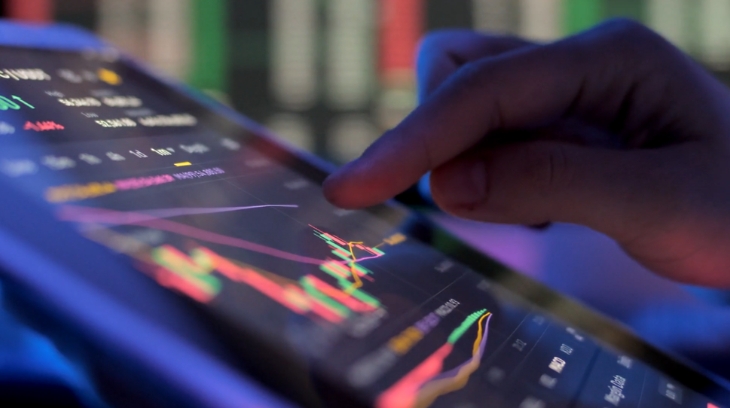
Artificial intelligence, IoT, advanced cryptography, and AR/VR now work together
A sweeping wave of transformation is redefining the financial sector as advanced technologies converge to reshape every aspect of operations, decision-making, and value creation.
Artificial intelligence, the Internet of Things, advanced cryptography, and augmented or virtual reality are no longer operating in isolation.
These technologies are becoming intertwined, creating an environment where speed, precision, and interconnectedness are essential.
Financial systems are shifting away from single-purpose fintech tools toward a connected “Finternet,” in which data, processes, and platforms function in real time across integrated ecosystems such as swapspace.co .
Market dynamics are accelerating this shift, forcing organizations to adapt faster than ever. The following forces are driving the change:
- Regulatory pressure requires greater transparency, compliance, and accountability in every financial process.
- Escalating cybersecurity threats demand advanced defense mechanisms to protect sensitive information.
- Customer expectations for instant, personalized service and seamless financial interactions.
- Global economic volatility forces financial leaders to maintain accuracy and control while responding rapidly to external shocks.
Adapting successfully to these forces depends on proactive recognition of trends and embedding agility into all layers of strategy.
Core Components of a Future-Ready Financial Toolkit
Creating a financial toolkit capable of handling rapid technological and market shifts requires a blend of:
- Systems
- Skills
- Safeguards
Each component should work together to enhance speed, accuracy, and resilience.
Data-Driven Decision Making
Clean, real-time data integration is no longer optional. Financial and operational data must flow seamlessly into systems that deliver accurate insights instantly.
Dashboards powered by predictive analytics allow leaders to model future scenarios and react proactively instead of reactively.
Key feature : Unified, accurate, and real-time data pipelines for better forecasting.
AI and Automation
Machine learning models can assess risk more effectively and identify fraud faster than traditional methods.
The capacity to analyze enormous datasets in seconds enables sharper decision-making.
Key feature : Intelligent automation for cost reduction and improved accuracy.
Cybersecurity and Next-Gen Cryptography
Encryption technologies combined with AI-driven threat detection can safeguard finance operations against breaches.
Governance frameworks ensure that security is embedded into every digital process, protecting both assets and reputation.
Key feature : Integrated, proactive security measures.
Digital Enablement and Workforce Skills
Teams require training in AI, analytics, and collaborative digital tools.
Adaptability becomes a core skill, with continuous learning encouraged and supported by leadership.
Key feature : Ongoing upskilling programs tied to emerging technology.
Scalable Cloud and Integrated Platforms

Cloud-native systems deliver the flexibility to scale operations quickly
Modular platforms such as Deloitte’s FinVENTA concept offer integration across finance functions, allowing for efficiency and agility in responding to new demands.
Key feature : Modular and scalable finance infrastructure.
Strategic Imperatives for Finance Leaders
Shaping a financial function that can thrive in an environment of constant disruption requires more than technology adoption.
Leaders must combine forward-thinking innovation with strong governance frameworks, ensuring that every investment in tools, processes, and skills drives measurable, long-term value.
Strategic imperatives help align operational decisions with organizational vision, creating a finance function that is both agile and secure.
Review Past Transformation Lessons
Past transformation projects are valuable sources of insight.
By taking a detailed look at earlier initiatives, leaders can identify patterns of success and failure.
Lessons from these experiences can help prevent repeating costly mistakes and maximize returns on future investments.
Key review areas include:
- ROI analysis : Identifying gaps between projected and actual returns to uncover inefficiencies.
- Change management assessment : Evaluating how well teams adapted to new systems and processes.
- Technology utilization : Determining which tools remain underused and why adoption lagged.
- Vendor performance : Assessing external partners for reliability, responsiveness, and value delivery.
Build an AI Policy and Implementation Roadmap
View this post on Instagram A post shared by @primacytechnology
Artificial intelligence is becoming central to financial operations, but without clear policies, it can introduce risk.
A well-structured AI roadmap ensures alignment between innovation, compliance, and security.
The plan should address not only technical integration but also ethical and operational safeguards.
Core elements of an AI policy include:
- Clear objectives : Defining exactly what AI should achieve in the finance function.
- Compliance alignment : Meeting regulatory standards while maintaining operational flexibility.
- Ethical guidelines : Preventing misuse and ensuring fairness in automated decision-making.
- Security measures : Protecting against unauthorized access or manipulation of AI systems.
- Phased implementation : Rolling out AI in manageable stages to test performance and refine models.
Move Toward On-Demand Reporting
Traditional reporting cycles often cause delays in decision-making.
By moving to on-demand reporting, finance leaders can provide real-time insights that support rapid, well-informed choices.
The shift requires centralized data management and continuous data updates.
Benefits of on-demand reporting include:
- Faster decision-making : Leaders have instant access to current financial metrics.
- Greater transparency : Stakeholders can review performance at any time without waiting for scheduled reports.
- Improved accuracy : Data discrepancies are caught and corrected immediately.
- Enhanced forecasting : Real-time inputs strengthen predictive modeling.
Expand the Role of Finance in Corporate Strategy

Finance leaders should join strategic talks and offer insights that drive growth and competitiveness
Finance is no longer limited to processing transactions and managing budgets. In modern organizations, it plays a central role in shaping business direction.
Leaders in this function should actively contribute to strategic discussions, providing insights that influence growth and competitive positioning.
Ways finance can take on a greater strategic role:
- Guiding investment decisions with financial modeling and risk analysis.
- Identifying growth opportunities through market trend analysis and resource allocation.
- Collaborating with other departments to ensure financial alignment with operational priorities.
Common Pitfalls to Avoid
Avoidable mistakes can undermine transformation efforts. Among the most damaging are:
Prioritizing technology acquisition without aligning it to a clear strategy. Underestimating cybersecurity requirements during system upgrades. Failing to address cultural and change management needs during transformation. Neglecting integration with other business functions leads to operational silos.
Action Plan: Upgrading Your Toolkit

Building a robust financial toolkit requires phased implementation to balance innovation with stability
Short-Term (6–12 months)
- Conduct a full audit of current tools and processes.
- Identify quick wins in automation that deliver immediate efficiency gains.
- Pilot small-scale projects to build momentum and internal support.
Medium-Term (1–3 years)
- Integrate AI systems for analytics, forecasting, and fraud prevention.
- Strengthen data governance to ensure accuracy and compliance.
- Expand cloud-based capabilities to improve scalability.
Long-Term (3–5 years)
- Develop a self-learning financial ecosystem that can adapt to changing markets.
- Continuously refine AI models based on evolving business needs.
- Foster a culture of innovation within finance teams.
Summary
Assessing readiness for the next wave of disruption requires a hard look at tools, processes, and people.
An adaptable financial toolkit ensures resilience, supports growth, and enables leaders to act decisively in uncertain conditions.
Action today will shape the competitive edge of tomorrow.
