Having a great website is absolutely essential when it comes to maintaining and growing your business in today’s competitive online world.
Whether clients and customers come to your website to purchase goods or to gather information, providing your visitors with an optimal experience is a must — and slow websites are a massive, yet quite preventable, turn-off that often increases bounce rates.
And now that Google has begun using mobile page loading times as part of its ranking algorithm, slow site speeds can absolutely negatively impact your search rankings .
We’ve gathered together 20 easy-to-implement website speed optimization tips you can use to increase your website’s speed in a snap.
How to Speed up Your Website in 2024
Providing a great user experience, including great visuals, smooth website navigation, and quick page loading, can be the difference that takes your business to the next level due to improved search rankings and customer engagement.
Minimize HTTP Requests
High numbers of HTTP requests can drastically slow a website’s loading speed. In a nutshell, your site won’t load until all HTTP requests have been resolved — fewer pings means faster loading.
Getting pesky HTTP requests under control is a simple way to optimize your website for speed.
There are several quick and easy ways to minimize HTTP requests and increase your website’s page loading speeds, including avoiding the use of customized fonts and disabling emoji functionality.
Setting your site up so that it only loads images once a visitor scrolls down to the appropriate point on the page will also shave time off your loading speeds.
Combine Static Files
Let’s start with the basics — what exactly is a static file?
A static file is any type of image, script, or file that a visitor to a website sees that doesn’t change in response to visitor characteristics or activities.
These are files that are downloaded from your server without alteration — think JavaScript, audio, video, CSS files, and more.
One of the most efficient ways to increase your site speed is to put your CSS and JavaScript code into one master file after removing all the extraneous characters and line breaks.
Compress that single large file into a zip file and you’ll be well on your way to a faster website.
Optimize Image Sizes
Reducing the size of the images on your page, otherwise known as image optimization, can often improve your website’s speed.
To get the most performance out of your website , make sure to use PNG files for graphic images with less than 16 colors and opt for JPEGs when adding photographs to your site.
Another option is to use CSS sprites to develop templates for regularly-used images — think custom buttons and icons.
CSS sprites reduce the number of HTTP requests by creating one large image file that quickly loads all in one go. It increases website speed by limiting the number of images that need to load before your page displays.
Use a Content Delivery Network (CDN)
If you’re running an online business with customers worldwide, a content delivery network (CDN) is an absolute must for providing a smooth user experience — and it’s a great way to boost your website’s speed as well.
CDNs host content on local servers around the world, reducing the time required to respond to HTTP requests from nearby locations .
CDNs speed the delivery of static images to viewers’ browsers, decreasing the time viewers spend waiting for content to load.
Cloudflare, Fastly, and Akamai are just a few of the CDN options currently available.
Write Mobile-First Code
It turns out the majority of online searches now take place on mobile devices.
Optimizing your site for mobile viewing can drastically improve your website’s speed when viewed on smartphones and tablets.
(Pro Tip: You can make things easy by using an up-to-date WordPress theme — most modern options come pre-optimized for mobile viewing.)
And as an additional benefit, using mobile-first indexing might well help improve your Google search rankings.
Starting back in 2018, Google began incorporating mobile loading times into its ranking and indexing algorithms — so having a mobile site designed with speed optimization in mind can pay off in terms of search rankings and visibility.
Minimize Time to First Byte

Let’s start with some definitions — what exactly is time to the first byte, and what does it measure?
Time to first byte (TTFB) measures how long it takes for a user’s browser to get a response from a server. TTFB is impacted by several factors, including the length of time it takes your server to process and respond to queries.
Consider giving your content management system (CMS) the once over to find ways to minimize the use of settings and features that slow response times.
If your site is hosted on a shared server, consider switching to a dedicated option to reduce resource-sharing-related slowdowns.
Minimize the Number of JavaScript and CSS Files
The number of JavaScript and CSS files you have on your website will impact the speed at which your page loads.
WordPress themes often have JavaScript files that don’t do much to improve your website’s functionality. Cutting down on these bits of extraneous code can give your site an immediate speed boost.
You can fix this issue by removing any redundant JavaScript files. Search your website’s source code for active JavaScript.
Remove a file and see if your site retains its desired functionality — if so, you’ve identified a selection that can potentially be removed to improve your site’s page loading speeds.
Use Asynchronous Loading for CSS and JavaScript Files
Opting for asynchronous loading is another quick fix that can increase the speed at which your site’s pages load.
Pages programmed to load images asynchronously load these files as the browser downloads other files instead of waiting for the page to load entirely before beginning the process of delivering CSS and JavaScript files.
And best of all, it won’t block page render or prevent other files from being downloaded simultaneously.
The increase in response speed can make a huge difference in your Google search results — and your customers will thank you.
Reduce the Number of Plugins
Your site’s speed is dependent on several factors, including the number of plugins you have installed.
It’s easy enough to remove or disable individual plugins to increase your page loading speed.
Determine whether you really need the functionality provided by the plugin and explore whether or not the same results can be achieved using alternate means such as code snippets.
Be wary of plugins that bundle several functions together — these large files are notorious for slowing down page loading speeds. Opt instead for a smaller option that offers the targeted functionality you need.
Implement GZIP Compression
GZIP compression increases your website’s speed by compressing the data your website sends — this includes text, images, fonts, scripts, image files, and more.
GNU Zip (GZIP) offers lossless data compression — you can use it to limit the amount of data taken up by basics such as HTML pages, scripts, and stylesheets.
The process works best with text-based data such as HTML, CSS, and JS files. GZIP compression isn’t the best option for compressing image and video files.
The process can actually reduce text files by anywhere from 70 to 90 percent under the right circumstances.
(Pro Tip: GZIP compression for WordPress speed optimization can be done super easily by using plugins native to most modern themes.)
Choose the Right Hosting Option

Believe it or not, where you choose to host your website can significantly impact your site’s loading speeds.
Shared hosting offers an affordable option that works well for sites that don’t receive much traffic.
You’re sharing hosting resources, so the resource demands of other sites on the shared server impact your site’s response speeds.
With VPS hosting, you get the best of both worlds — the ease of shared hosting as well as guaranteed dedicated server resource availability.
Your website’s speed won’t fluctuate as much as if your site were hosted on a shared server. For enterprise businesses, a dedicated server is pretty much the only option.
Dedicated hosting offers more space and control but requires expertise to set up and maintain.
Reduce Redirects
Getting rid of annoying redirects will not only improve your website’s speed — it’ll also improve your viewers’ user experience and improve your search engine ranking.
Redirects are essentially a wrong URL problem.
A visitor types in an incorrect address, then your website attempts to figure out where that visitor needs to be — this process costs time and is experienced as slow page loading times.
The problem often arises when updating older websites and is sometimes a sign that your site architecture needs updating to achieve the best site speed optimization possible.
The easiest way to avoid this problem is to refrain from creating redirects for items such as menus and internal links.
Use Website Caching
Enabling website caching can improve page response times by reducing the number of data visitors must download to view your site — caching essentially creates a file in which your website’s stylesheets, JavaScript files, images, and so forth are saved locally on the visitor’s browser.
There are several ways to get started with caching. For simple WordPress websites, a plugin often suffices.
If your site is hosted on a dedicated or VPS server, consider implementing object caching to speed response times up a bit.
Don’t forget to set a lifetime limit for your cache — anywhere from one week to a year works well for JavaScript, CSS, image, video, and PDF files.
Detect 404 Errors
You’re probably familiar with the dreaded 404 error message — it’s pretty much the bane of every internet user’s existence. But what exactly do these annoying messages mean?
A 404 error indicates that the page the visitor wants to see can’t be located on the server. The process of looking for these nonexistent URLs takes time — ultimately damaging your website’s response speeds.
If the problem crops up too much, it can actually negatively impact your search engine rankings.
These pesky errors pop up in several characteristic situations, most often when a page is removed from a website without the establishment of a redirect.
They also happen when webmasters update sites or transfer domains.
Run a Compression Audit
Running a compression audit is a great way to get page speed insight — it lets you know what files you can reduce to increase your website’s loading speed.
Pages with lots of data such as audio files and images take longer to load, but other than that, it can be difficult to know exactly which pages on your site are slowing things down.
Compression audits provide critical information such as current file sizes and how much space you’d save by compressing your files.
Once you’ve completed the analysis, you can use a tool like GZIP to quickly and safely compress your files which could help improve your page loading speeds.
Enable Compression
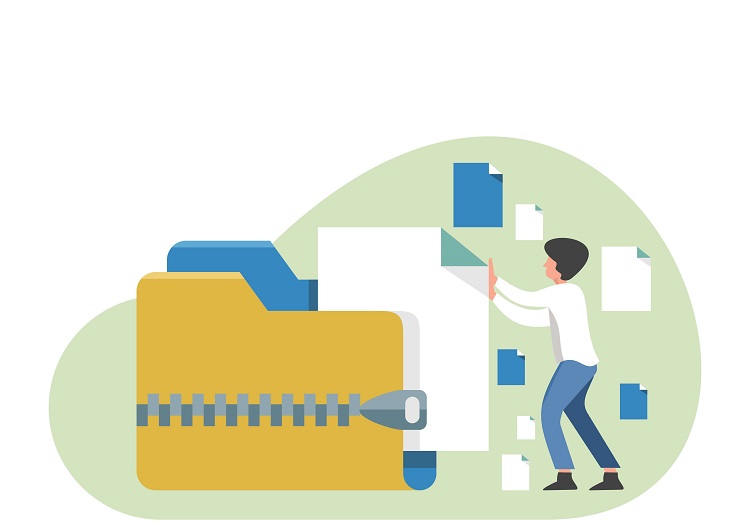
Make sure you’ve enabled compression for your website’s files — it’ll decrease the size of your files and pay off in terms of increased page loading speeds.
(Pro Tip: GZIP has pretty much become the gold standard among those in the industry, so it’s well worth your time to set this functionality up.)
You don’t have to take our word for it when it comes to compression’s speed-optimizing benefits!
The engineers at Yahoo determined that GZIP compression can reduce the time it takes files to download by up to 70% . There are tons of free online tools you can use to see if GZIP is enabled on your site.
Optimize CSS Delivery
CSS files house your website’s stylesheet. Make sure your CSS code is housed in an external stylesheet — it tends to deliver more efficient results than inline CSS.
It’ll also reduce the overall size of your file, and as an added bonus, there’ll be fewer code duplications.
The fewer stylesheets, the better — each external style sheet creates an HTTP request, and each HTTP request results in a reduction in page loading speed.
Reduce External Scripts
Getting rid of external files that aren’t increasing the functionality of your site often results in faster page loading times.
Most websites have tons of third-party integrations that aren’t integral to the site’s functioning.
Chrome’s Developer Tools give you a quick and easy way to identify all the external files running on your site.
If you don’t really need a particular integration, say because your visitors infrequently engage with a particular feature, consider removing the associated file to streamline your site and potentially give it a speed boost.
Consider Using Prefetch, Preconnect, and Prerender Techniques
So what precisely are developers talking about when they throw around words like prefetch, preconnect, and prerender?
Essentially all three are techniques you can use to increase your website’s performance by facilitating fast file delivery, including when a visitor is engaging with the content.
Both prefetch and prerendering are concerned with delivering files related to what the website user might navigate towards in the future.
Preconnect is a way to establish connections without the need for an HTTP request — and fewer HTTP requests almost always translate into faster websites.
Adopt Cloud-Based Website Monitoring

Before making changes to streamline your website, it pays to do a bit of research to determine where you can most efficiently make changes.
Consider using a cloud-based website performance monitoring service to gain insight into how your site’s key performance indicators (KPIs) are doing.
Cloud-based monitoring provides information about the efficiency of your site’s processes as well as data about the ease with which users can navigate your webpage.
There are tons of options available, including several that offer both real user and synthetic monitoring capabilities, giving you several data-gathering options.
- 80+Impressive Site Speed Stats 2024 [Facts ad Trends]
- Creating the Best SEO Strategy in 2024 [Detailed Guide]
- 22 Best Website Builders For 2024 [Learn Digital Marketing]
Conclusion
Website speed optimization will be front and center in 2024, thanks to its role in driving customer engagement and determining Google search rankings.
Something as simple as optimizing your website’s speed might just be the key to getting the search rankings you want while providing your customers with an engagement and sales-driving experience.
.jpg)
Key Takeaway:
- High resolution 3D printing offers precision and detail in creating complex parts and models.
- The Original Prusa i3 MK3S+ is the best overall 3D printer for hobbyists and makers, offering high resolution and versatility at an affordable price.
- The Nano3Dprint D4200S is the highest resolution 3D printer on the market, perfect for professionals requiring the utmost precision in their 3D printing projects.
Introduction to High Resolution 3D Printing
High-resolution 3D printing has revolutionized the manufacturing industry, and for good reason. In this section, we’ll explore the benefits and importance of high-resolution 3D printing. From creating intricate and complex designs to saving time and cost, we’ll delve into the advantages that this technology provides to businesses and individuals alike.
Importance of High Resolution 3D Printing
High resolution 3D printing is vital in additive manufacturing . It enables complex parts and features to be produced accurately and in detail . This technique is now used across many industries, such as healthcare, aerospace and automotive . It produces functional components with great precision and detail .
A key advantage of this technology is the capacity to make intricate geometries, lightweight structures and internal cavities . Furthermore, designs can be tested and iterated quickly , reducing lead times and still making high-quality parts.
High resolution 3D printing also offers rapid customization of parts to meet specific requirements . Each component can be individually crafted, giving businesses savings and reduced risk rates on their projects.
Advances in technology have taken high resolution 3D printing to new heights. Machine models like the Nano3Dprint D4200S have unique architecture manipulation abilities, such as layer thickness modulation . This increases geometric accuracy and post-processing configurations, boosting product development productivity .
High resolution 3D printing is important . It has revolutionized manufacturing with limitless design possibilities, increased efficiency and reduced costs .
Advantages of High Resolution 3D Printing
High resolution 3D printing stands out from other methods due to its many advantages. Its accuracy and precision when it comes to print detail is unparalleled. This means that small, detailed parts or models can be produced without needing extra equipment.
Print speeds are faster too, as thinner layers take less time to cure. The surface finish of each layer is also of higher quality than low-resolution printers.
Multiple types of materials can be used in the same print job with advanced splicing mechanisms. The software used is user-friendly and much simpler to operate than other methods. Plus, resin is used instead of melted plastic, so no harmful fumes are released.
High-resolution 3D printing also offers satisfactory customer support and easy-to-acquire spare parts. It is more efficient in cost and time than conventional manufacturing techniques.
Digital computing software developed in the 1980s can convert blueprints into designs. This is called rapid prototyping technology.
So why settle for basic printing? Explore the possibilities of Fused Deposition Modeling, Stereolithography, and Digital Light Processing with high resolution 3D printing!
Understanding Different Types of 3D Printers
When it comes to high resolution 3D printing, understanding the different types of printers is crucial. In this section, we will explore the three main types of 3D printers:
- Fused Deposition Modeling (FDM) printers
- Stereolithography (SLA) printers
- Digital Light Processing (DLP) printers
Each one has unique features and benefits for different applications.
Fused Deposition Modeling Printers
FDM printers are a widely-used type of 3D printer. They use Fused Deposition Modeling technology. To do this, a thermoplastic filament is melted and pushed through a heated nozzle. The nozzle deposits the filament onto the build platform. Layer by layer, the printer builds the object until it is complete. As the layers cool, they stick to each other.
FDM printers are affordable compared to other 3D printers, such as SLA or DLP. They are also easy to use. Plus, they can print in various materials, like PLA, ABS, Nylon, PETG, and TPU .
FDM printers have a great feature: they can print bigger parts, due to their lower temperature requirements. Technology has also improved the quality of FDM prints . This reduces common problems, like layer delamination and warping. Open-source software provides users with more possibilities when customizing their prints.
All in all, FDM printers are an accessible and versatile option for 3D printing at home.
Stereolithography Printers
Stereolithography printers? Yes! They use photochemical processes and UV light to cure liquid resin layer-by-layer. Result? High-res 3D prints! These printers are the most precise, creating smooth surfaces and sharp edges.
But, there are some limits. Build size is restricted by the size of the UV laser . Plus, they can be expensive and not so flexible. Still, it’s impressive and reliable.
Fun fact: Chuck Hull invented the first commercial stereolithography printer in 1984. So, if you want to be dazzled by tech, try Stereolithography printers!
Digital Light Processing Printers
DLP printers , also known as Digital Light Processing printers , are 3D printers that use a technology similar to Stereolithography printers. They provide high-resolution prints . Comparing them to other types of 3D printers:
- FDM printers are low cost and easy to use. But, they have low resolution and limited range of materials .
- SLA printers offer large build volume, wide range of materials, and high resolution . However, they are expensive and use toxic materials . Plus, post-processing is needed for support structures.
DLP printers have excellent precision, detail, and very high resolution . They have fast print times , and are good for intricate models or parts. But, they are expensive, and have limited build volumes . Plus, excess resin needs to be removed via washing or other methods.
In short, DLP printers are great for those wanting high resolution 3D prints . But, they come with a higher price tag, and post-processing of support structures is required.
Top Picks for the Best High Resolution 3D Printers
Looking for the best high resolution 3D printer can be daunting, considering the variety of models available in the market. To help you with that, we have compiled a list of top picks for the best high resolution 3D printers . Each printer has its unique features and is suitable for various applications, including hobbyists, makers, and professionals. Explore our list below to find the perfect printer that meets your needs.
The Original Prusa i3 MK3S+: Best Overall 3D Printer for Hobbyists and Makers
Are you searching for the perfect high-resolution 3D printer for hobbyists and makers? Look no further than the Original Prusa i3 MK3S+ ! It offers top-quality features and great value for money. Plus, its user-friendly design makes it perfect for novices.
The Prusa i3 MK3S+ utilizes Fused Deposition Modeling (FDM) printing technology. This allows for precise layer-by-layer printing of complex designs with intricate details and shapes. Plus, it’s compatible with open-source software like the slicer !
The Prusa MK3S+ also comes with advanced features like improved bed leveling assistance, higher resolution extruder temperature measurement, and a stable double-sided pei build platform. Plus, there are several community forums and groups dedicated to helping users with any issues they may face.
Did you know that Prusa Research was founded in 2012 by Josef Průša while he was studying at Miraikan Space Museum’s “Creative Lab” in Tokyo? He created the company because there were no reliable, low-cost filament-based 3D printers available.
If you need a high-quality 3D printer that can bring your creations to life in stunningly high resolution, the Original Prusa i3 MK3S+ is the best option for hobbyists and makers.
Nano3Dprint D4200S: Highest Resolution 3D Printer on the Market
The Nano3Dprint D4200S is the top 3D printer available today. It is reliable and efficient, making it a popular choice for professionals from different industries. Here are the specs:
The standout feature of this printer is its amazing layer resolution of 0.01 mm , which is not found on other printers. This allows printing of complex designs with intricate details, perfect for professional use. The build speed is between 25-60mm/s, good for high-resolution printing.
Professionals from various industries, from medical to aerospace, prefer the Nano3Dprint D4200S due to its accuracy, detailed prints and consistent print quality. It also results in accurate prints seven times faster than other printers in the market!
The Nano3Dprint D4200S is a revolutionary 3D printer, offering great quality, speed and accuracy.
Recommended High-Resolution 3D Printers for Different Applications
Searching for high-res 3D printers? Plenty of options! They vary in specs and features, to suit different tasks. The table below lists three top-notch printers and their key features:
The Prusa is great if you’re a hobbyist or maker. It offers wide resolution settings, for precise details and speed. Plus, the large build volume (up to 250mm x 210mm x 210mm) can accommodate various sizes.
The Nano3Dprint is perfect for industries needing intricate details (e.g. dentistry, jewelry). It achieves thickness of only five microns, for accuracy and precision.
The Formlabs Form 3 is for quality prints at an affordable price. Compared to competitors, it boasts a larger build volume, making it ideal for larger models. Perfect for producing plastic parts for manufacturing and engineering.
Choose the right printer for your needs, considering budget, resolution settings, and products you’ll make. This ensures the right selection for your printing requirements. Don’t skimp on z-resolution ; consider all factors for high-quality 3D printing.
Factors Affecting High Resolution 3D Printing
When it comes to high-resolution 3D printing, there are several factors that can impact the quality of the final print. In this section, we will explore these factors in depth. This includes vertical resolution and minimum layer height , as well as the smallest details that can be printed in the horizontal plane. We will also look at other lesser-known factors that can have an effect on print quality.
Z-Resolution: Vertical Resolution and Minimum Layer Height
Z-resolution in high resolution 3D printing is decided by two things: vertical resolution and minimum layer height. The Z-axis is used to control the thickness of each layer. This affects the final printed object’s quality.
In a table, Z-resolution is compared to vertical resolution and minimum layer height . The thickness of each layer has a direct impact on the smoothness and accuracy of curved or intricate shapes.
Smaller layer heights give higher quality prints but also increase the print time. To get finer levels of detail, you must set a smaller minimum layer height. This will produce more layers and increase print time. But, it will also give a smoother and more accurate final print.
Nozzle size, material type, printer calibration, and print speed can all impact Z-resolution, too. To get the best quality prints, make sure your Z-resolution settings are just right. You should adjust your minimum layer height based on the level of detail you need. To print even the smallest details, you need X and Y resolution so good that you can see the dust on the atom’s shoulders .
X and Y Resolution: Smallest Details Printable in the Horizontal Plane
When it comes to 3D printing, the tiniest details matter. You have to consider the resolution of the printer on both the X and Y axes for intricate designs and products that require precision.
A way to understand a 3D printer’s capabilities is by making a table of the smallest features it can produce. For instance, the Original Prusa i3 MK3S+ has X/Y resolution ranging from 20-50 microns , while the Nano3Dprint D4200S has an XY resolution of 0.1 micron with sub-micron accuracy.
However, higher precision typically comes with a cost. Such printers are expensive and time-consuming to use . Additionally, bed leveling, calibration, and filament choice can affect the quality of intricate designs that need minimal margins . Thus, skilled handling is necessary.
When selecting a high-resolution 3D printer, you should think about your needs concerning X/Y resolution. Don’t forget that even the littlest factors make a difference in quality!
Other Factors Affecting Print Quality
In high-res 3D printing, great print quality needs all factors considered. Not just Z-res and X/Y res, other things are important too. Calibration is key. Deviations in calibration can change the object’s size and surface finish. It’s vital to calibrate the printer correctly before a print job .
Filament quality matters . The chosen material affects strength, color accuracy, and surface finish. Consistent diameter and good adhesion properties mean high-quality filament to enhance the final output.
Post-processing helps too. Sanding, polishing, painting or coating smoothes rough surfaces and adds details. These techniques require effort but can turn a low-quality print to an impressive one.
To sum up, calibrating the printer, using high-quality filament, and post-processing techniques all contribute to better print results. Considering these parameters helps get impeccable outcomes at minimal costs. So, for high-res 3D printing, other factors affecting print quality must be taken into account for great results.
Conclusion: Choosing the Best High Resolution 3D Printer for Your Needs and Budget
Choosing the best high resolution 3D printer can be tricky. There are many factors to consider: resolution, speed, build volume, and technology . A higher resolution printer is great for finer details, but faster printers may mean a compromise in quality. The size of the object may mean that a larger build volume is needed. You can also choose from resin, filament, or powder bed fusion printers .
It’s important to consider the features of each printer to make sure it meets your needs. There’s an ideal 3D printer for all sizes of projects. For extra flexibility, why not go for a 3D printer with interchangeable nozzles ? That way you can switch nozzle sizes for the desired filament deposit. In short, with careful exploration, you’ll find the best high resolution 3D printer for your needs and budget.
Five Facts About High Resolution 3D Printers:
- ✅ 3D printers have become more affordable and accessible thanks to the RepRap open-source 3D printing movement.
- ✅ The Original Prusa i3 MK3S+ is considered the best overall 3D printer for serious hobbyists and makers.
- ✅ The D4200S by Nano3Dprint is likely the highest resolution 3D printer on the market, with a resolution as small as 20nm.
- ✅ Recommended high-resolution 3D printers include Ender 3 V2, Anycubic Photon Mono 4K, and Formlabs Form 3.
- ✅ Filament FDM printers are easier to use and safer for those with children or pets, while resin MSLA printers offer more detail but require careful handling of toxic chemicals.
What are some of the best high-resolution 3D printers on the market?
Some of the recommended high-resolution 3D printers include the Ender 3 V2, Elegoo Mars 2 Pro, Anycubic Photon Mono 4K, Elegoo Mars 3, Prusa i3 MK3S, Formlabs Form 3, and Ultimaker S3.
What is the Nano3Dprint D4200S 3D printer?
The Nano3Dprint D4200S is a versatile laboratory tool designed to 3D print tiny objects with incredible precision, with a resolution as small as 20nm. It is primarily for development of unusual electronic applications, but can also be used for prototyping, maskless lithography, mask repair, bioprinting, and tissue engineering.
What is the build area for the Nano3Dprint D4200S 3D printer?
The build volume for the Nano3Dprint D4200S 3D printer is 50 x 50 x 50 mm.
What are some of the factors that affect print quality in 3D printing?
Resolution is a crucial aspect of 3D printing that affects print quality beyond just layer height. Z-resolution is the vertical resolution and means the minimum layer height or thickness possible for a 3D printer. Small layers mean better resolution, better surface quality parts with smoother surfaces and crisper edges. Other factors affect print quality, including X and Y resolution, which control the 2D parts of the print, and the Z-axis, which adds multiple layers responsible for height.
What are some of the differences between filament FDM printers and resin MSLA printers?
Filament FDM printers are easier to use and safer for those with children or pets, while resin MSLA printers offer more detail but require careful handling of toxic chemicals.
What is the best overall 3D printer for serious hobbyists and makers?
The Original Prusa i3 MK3S+ is the best overall 3D printer for serious hobbyists and makers, with a polished open-frame design and extensive community support.
