Every company, regardless of size or industry, faces one common challenge: keeping operational costs under control.
Cutting costs isn’t about extreme downsizing or compromising quality; it’s about identifying unnecessary spending, streamlining operations, and using smarter systems.
In 2025, when inflation and digital infrastructure expenses keep climbing, the key to reducing monthly costs lies in small, focused adjustments that yield consistent savings.
Most businesses can trim 10–20% off their monthly expenses within 90 days without layoffs or major restructuring by targeting the right areas.
1. Audit All Recurring Subscriptions

Most companies pay for at least one tool they no longer use
Companies often underestimate how much they pay for unused or overlapping digital tools. A SaaS subscription audit should be your first step.
List every platform used: C, analytics, design, and accounting, and check usage rates. Cancel or downgrade what’s redundant.
| Type of Tool | Average Monthly Cost (per user) | Common Alternatives | Quick Win |
|---|---|---|---|
| Project Management | $15–$25 | ClickUp, Notion, Trello | Consolidate into one tool |
| CRM | $30–$60 | HubSpot Free, Zoho | Switch to the tiered or free version |
| Cloud Storage | $10–$50 | Google Workspace, Dropbox | Merge accounts or delete inactive ones |
A quarterly review ensures that recurring payments match actual usage and business value.
2. Switch to Energy-Efficient Systems
Electricity can silently drain company budgets. Offices that replace halogen or fluorescent lighting with LED can cut lighting costs by up to 70%.
Installing smart thermostats and motion sensors further reduces wastage during off-hours.
Small manufacturers and warehouses benefit from variable frequency drives (VFDs) on motors, which lower energy consumption during idle periods
Documenting utility bills month by month helps track measurable progress.
| Upgrade | Cost Range | Payback Period | Typical Savings |
|---|---|---|---|
| LED Retrofit | $1,000–$3,000 | 12–18 months | 50–70% lighting cost reduction |
| Smart Thermostat | $150–$300 | 6–12 months | 10–15% HVAC savings |
| VFD Motor Control | $2,000–$5,000 | 18–24 months | 15–30% energy reduction |
3. Outsource Non-Core Functions

Outsourcing lets you save money without losing quality
Accounting, HR, and IT management often cost more in-house than through specialized outsourcing. Outsourcing lets you save money without losing quality, especially when administrative or compliance-heavy roles are handled by HIPAA-trained remote staff .
Hiring external experts lets you pay only for output, not full salaries and benefits. For many small companies, outsourcing payroll alone can cut admin costs by 40%.
Midway through this optimization process, businesses often realize they need reliable partners for strategic roles. Partnering with firms like Ned Capital Recruitment allows companies to access top-level board and leadership talent on flexible terms, ensuring experienced decision-makers guide efficiency programs without adding long-term payroll strain.
When outsourcing, focus on tasks that don’t directly generate profit but consume time IT support, bookkeeping, legal compliance, and recruitment.
4. Negotiate Supplier Contracts Annually
Suppliers rarely adjust pricing downward on their own. Annual renegotiation, backed by volume forecasts or multi-year commitments, can yield discounts of 5–15%.
Where possible, consolidate orders with fewer suppliers to increase leverage. Compare per-unit costs, payment terms, and delivery reliability rather than just sticker prices.
| Expense Type | Typical Negotiation Leverage | Annual Savings Potential |
|---|---|---|
| Office Supplies | Medium | 8–12% |
| Logistics / Courier | High | 10–20% |
| Maintenance & Repairs | Low | 5–10% |
| Raw Materials | High | 10–25% |
Even small service providers, cleaners, couriers, or IT vendors ten reduce prices for prompt or consolidated payments.
5. Optimize Employee Work Schedules

Flexible schedules boost both productivity and savings
Labor is one of the biggest monthly expenses. Flex scheduling or hybrid models can reduce electricity, internet, and heating costs while improving productivity.
Tracking project outputs instead of fixed office hours prevents paying for idle time.
For retail or production teams, rotating shifts based on traffic or demand avoids overstaffing.
Overtime reduction programs often save companies 10–15% in payroll within weeks.
6. Automate Routine Administrative Tasks
Automation doesn’t require a full-scale digital transformation. Affordable tools can manage invoicing, reporting, and document tracking. king
Even a simple CRM integration or automated invoice reminder system saves hours of manual work weekly.
Examples include Zapier (workflow automation), QuickBooks (automated invoicing), and Google Sheets scripts for data synchronization.
Businesses that automate 20% of administrative work typically save one full employee’s monthly salary within the first quarter.
| Task Automated | Time Saved per Month | Tools to Use | Annual Savings (Est.) |
|---|---|---|---|
| Invoice Reminders | 10 hours | QuickBooks, Xero | $2,000–$3,000 |
| Expense Approvals | 6 hours | Zoho Flow, Monday | $1,000–$2,000 |
| Social Media Posting | 8 hours | Buffer, Hootsuite | $1,500–$2,500 |
7. Re-Evaluate Office Space and Leasing Terms
Post-pandemic, many firms still pay for underused office space.
Switching to smaller locations, shared coworking areas, or partial remote work can slash rent and utilities by 30–50%.
If relocation isn’t viable, renegotiate the lease term; landlords often prefer a reduced rate over vacancy.
Document how many employees are onsite versus remote to calculate true space usage.
Reconfigure unused meeting rooms into sub-leased offices for freelancers or partner teams.
8. Buy Used or Refurbished Equipment
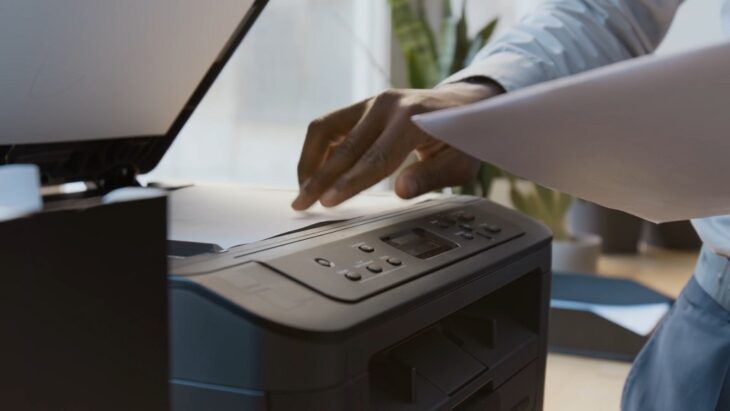
Refurbished gear performs the same, just costs less
From laptops to forklifts, refurbished hardware saves up to 40% compared to new purchases.
Certified refurbished items typically come with warranties and similar performance guarantees.
For offices, bulk purchasing used furniture and reconditioned electronics avoids capital spikes while maintaining quality standards.
| Item | New Price | Refurbished | Savings |
|---|---|---|---|
| Laptop (Business Grade) | $1,200 | $750 | 37.5% |
| Printer / Copier | $900 | $500 | 44% |
| Office Chair | $250 | $120 | 52% |
9. Consolidate Banking and Payment Fees
Banking fees, transaction costs, and payment processor charges accumulate silently.
Switching to business accounts with flat monthly fees or negotiating merchant rate tiers can cut 1–2% from total revenue leakage.
If you process high transaction volumes, consider alternative gateways like Wise , Revolut , or Payoneer .
Always compare hidden fees (currency conversion, cross-border, chargebacks) to real transaction costs, not advertised rates.
| Transaction Type | Typical Fee | Negotiated Rate | Annual Impact (on $100k turnover) |
|---|---|---|---|
| Credit Card Processing | 2.9% | 1.8% | +$1,100 saved |
| Bank Wire Transfer | $25 | $10 | +$900 saved |
| Currency Conversion | 3% | 1% | +$2,000 saved |
10. Build a Continuous Cost-Control Culture

Cost-saving is not a project, it’s a habit that compounds over time
The most sustainable savings come from mindset, not one-time cuts
Encourage departments to identify small inefficiencies monthly, idle licenses, excess print costs, and redundant vendors.
Recognize employees who propose and implement savings ideas.
Establish internal “cost committees” or use shared dashboards showing monthly expense progress.
Over time, even small wins compound. A $200 saving per department per month equals $24,000 per year in mid-sized firms.
Sustained cost discipline keeps profits growing without new revenue.
Final Thoughts
Reducing monthly business costs is not about drastic downsizing; it’s about precision. The companies that thrive are those that regularly review, renegotiate, and re-align spending to their actual operations.
By focusing on these ten simple fixes-subscription audits, energy efficiency, outsourcing, supplier negotiation, automation, and space optimization- any company can achieve immediate, measurable results.
The key is consistency: cost control should become a routine practice embedded in company culture rather than a one-time effort.
.jpg)
Key Takeaways:
- 3D Printing Software is an essential tool for creating, designing, and printing 3D models for various purposes such as prototyping, manufacturing, and product development.
- The best 3D print design software options include SelfCAD for online CAD and 3D design, Ultimaker Cura for true multi-material printing, and Sculpteo for open-source 3D printing slicing tool. There are also many free modeling software options available, sorted by price and functionality.
- When choosing the best 3D printing software, it is important to consider factors such as ease of use, compatibility with your hardware, the features offered, and the level of support available from the software provider.
Introduction to 3D Printing Software
In today’s modern world, the use of 3D printing has brought about a groundbreaking change in the way we create physical objects. The 3D printing software that is at the forefront of this revolution plays a crucial role in transforming a digital design into a tangible object that we can hold in our hands.
This software serves as an essential tool in multiple industries such as automotive, architecture, and healthcare, where customized design is a critical factor. With its ability to create intricate designs that are difficult to produce using conventional methods, 3D printing software has become an indispensable aspect of modern production.
The 3D printing software is designed to generate a digital model of an object, which is then separated into multiple layers that are sent to the 3D printer to create the final product. One of the significant advantages of this software is its capability to customize designs and create complex geometries, which was previously impossible to achieve with traditional manufacturing methods.
Apart from design capabilities, 3D printing software offers additional features such as quality control, material selection, and cost analysis. The software’s ability to preview and analyze a print before starting production can save time and money in the manufacturing process.
Pro Tip: It is essential to consider the requirements of your specific industry and choose the 3D printing software that offers the features most important to you. Autodesk Fusion 360, SketchUp, and Tinkercad are among the popular options in the 3D printing software market. So choose wisely, and let this technological innovation take your business to the next level.
Best 3D Print Design Software
3D printing is a rapidly evolving technology that has transformed manufacturing and design by enabling users to create three-dimensional objects from digital designs. In this section, we will explore the top 3D design software available. This includes leading online computer-aided design ( CAD ) and 3D design software like Autodesk Fusion 360 and SolidWorks , as well as free options such as SketchUp and Blender . Each program brings unique features to the table, so it is important to make an informed decision for your next project based on your needs and skill level.
Looking for a powerful online CAD and 3D design software? Look no further than SelfCAD! With its complete suite of tools, SelfCAD makes it easy to create, edit, and share 3D models. Its intuitive interface makes it easy for users of all skill levels to design even the most complex models. Plus, advanced features like Boolean operations, mesh relaxation, and sculpting offer even more design possibilities.
SelfCAD also offers flexibility when it comes to file formats. Users can import and export files in STL, OBJ, and FBX formats. And with integrated slicing and print preparation tools, printing your designs directly from the software is a breeze. Best of all, SelfCAD is cloud-based, allowing you to access your designs from anywhere and collaborate with others in real-time.
But what really sets SelfCAD apart is its built-in tutorials and documentation. Beginners can easily get started, while advanced users have the resources they need to take their designs to new heights. So if you’re looking for a feature-rich, all-in-one CAD and 3D design solution, SelfCAD is the top choice. And when you’re ready to print your designs with multiple materials, Ultimaker Cura has you covered.
Ultimaker Cura: True Multi-material Printing
Ultimaker Cura is a must-try 3D printing software for every enthusiast. It is famous for its true multi-material printing capabilities – a feature that allows users to print objects using multiple materials at the same time. Through this, stunning, unique and intricate designs are possible.
Ultimaker Cura has a plethora of customizable settings that advanced users can tweak to optimize their prints. However, this excellent software remains easy for beginners to navigate due to its user-friendly interface and its comprehensive library of pre-configured printer profiles.
Moreover, Ultimaker Cura did not stop there and offers integration with Ultimaker’s line of 3D printers, which makes the software an excellent option for those using their hardware. The software constantly upgrades its features like the “Slicing profiles” and “Material profiles,” making it even easier for users.
Overall, Ultimaker Cura is the top choice of experts and beginners in the 3D printing world because of its advanced multi-material printing capabilities and user-friendly interface. So, give it a try for your next project and experience its true multi-material printing magic!
Free 3D Modeling Software Options
Looking to get started with designing and printing in 3D? There are many free 3D modeling software options available to choose from. Let’s explore some of the top choices.
- Blender – This free open-source software offers a comprehensive feature set that includes modeling, animation, rendering, and more. It is ideal for creating complex 3D models.
- TinkerCAD – This web-based program is great for beginners due to its intuitive interface and user-friendly features. It allows users to create simple designs without extensive technical knowledge.
- SketchUp – This user-friendly software offers multiple tools designed specifically for architecture, engineering, and product design. The intuitive interface makes it easy to learn while still providing a deep level of functionality.
It is important to note that each option has its own unique strengths and weaknesses depending on the intended use case.
For those interested in exploring even more 3D modeling software options, there are many additional programs available with varying levels of complexity and functionality. Some other popular choices include Fusion 360, OpenSCAD, and FreeCAD.
When choosing which software to use, it is crucial to evaluate factors such as ease of use, compatibility with hardware or printers, required features/functionality, and overall cost (especially if considering paid versions). Taking the time to do research upfront will ensure successful designing and printing projects in the long run.
Sculpteo: Open-source 3D Printing Slicing Tool
Sculpteo is an open-source 3D printing slicing tool that allows users to create high-quality 3D models using a variety of materials and color options. The service offers model analysis, repair, scaling, and optimization features, making it easier for individuals to bring their designs to life. Sculpteo provides compatibility with a variety of printers, allowing for precise slicing of unique designs.
The software is intuitive and user-friendly, allowing designers to create detailed prints without requiring specialized technical knowledge or coding experience. In addition, Sculpteo offers a community of creative professionals where users can share their work and gain inspiration for future projects.
If you are interested in exploring the world of 3D printing with maximum creativity and quality, Sculpteo is an excellent option for you. Try it out and experience the possibilities for yourself!
Conclusion: Choosing the Best 3D Printing Software
3D printing software is an essential element that is critical for the success of any 3D printing project. Selecting the proper software can provide the necessary precision, accuracy, and design flexibility. Therefore, choosing the most suitable 3D printing software is of paramount importance for successful 3D printing.
To select the best 3D printing software, it is crucial to define the purpose it serves, such as personal use, commercial use, and educational purposes. For example, Tinkercad and SketchUp are superb free software options suitable for beginners. Blender and Fusion 360 are ideal for commercial or personal use. The choice of software mainly depends on the user’s skill level, budget, and complexity of the printing project.
Besides the software’s purpose, the software’s compatibility with the 3D printer also plays a crucial role in selecting the best 3D printing software. Some 3D printers require software from the same manufacturer, while others are more versatile in using any software. Therefore, users must ensure the compatibility between the 3D printer and the software to prevent any productivity hindrances.
Five Facts About 3D Printing Software:
- ✅ There are many free options for 3D printing software, including Ultimaker Cura, Slic3r, and KISSlicer.
- ✅ Solid modeling software is necessary for 3D printing, and all the software options listed in the source can create 3D printable models.
- ✅ Ultimaker Cura 5.3 allows for true multi-material printing, which is a huge leap forward in 3D printing technology.
- ✅ Simplify3D is a premium slicing tool that allows for previewing of 3D objects and is compatible with most 3D printers.
- ✅ 3D printing software requires a 3D model generated in a modeling program, and there are many easy-to-use and free modeling software options available. The list of software options is sorted by price, with solid modeling software always generating 3D printable models. Manifold models can be created with polygon modeling software that requires more experience.
What is SelfCAD and how does it work?
SelfCAD is an online CAD and 3D design software that utilizes the latest JavaScript features. It allows users to create 3D printable models using a web browser and can be accessed from anywhere with an internet connection.
Is there a recommended browser for using SelfCAD?
Yes, users are advised to use a newer browser for optimal performance with SelfCAD. Examples of recommended browsers include Google Chrome, Mozilla Firefox, and Microsoft Edge.
How is the article about free 3D printing software financed?
What makes Ultimaker Cura 5.3 a big leap forward in 3D printing technology?
Ultimaker Cura 5.3 allows for true multi-material printing and material interlocking, which are new features that allow for better 3D printing. This is a huge leap forward in 3D printing technology.
What software options are available for creating 3D printable models?
There are many easy-to-use and free modeling software options available for creating 3D printable models. The list of best options is sorted by price, with free options sorted alphabetically. The list indicates whether the software uses solid modeling, which is necessary for 3D printing. All software in the list can create 3D printable models, but solid modeling software always generates the best results.
What are some other free 3D printing software options besides Ultimaker Cura?
Some other free options for 3D printing software include Slic3r and KISSlicer. Both programs are open-source and allow for slicing, previewing, and more. They each have their own set of advanced features and are compatible with most 3D printers.
